AI Movie Recommendation System using Python Machine Learning (ML)
With the rapid growth of digital entertainment platforms, users are exposed to a vast collection of movies across various genres, languages, and categories. While this abundance of content provides more choices, it also creates a challenge for users to find movies that match their personal interests. Traditional search and browsing methods are often time-consuming and fail to provide personalized results. To address this issue, the AI Movie Recommendation System Project is developed using artificial intelligence and machine learning techniques to deliver personalized movie suggestions. AI Movie Recommendation system Project analyzes user behavior, such as movie searches and ratings, to understand individual preferences and recommend relevant movies. This intelligent approach helps users discover content efficiently and enhances their overall viewing experience, The AI Movie Recommendation System using Python & Machine Learning project from PHPGurukul is a perfect engineering student project that showcases advanced Python machine learning, AI recommendation system, movie prediction model, data science algorithms, and ML project implementation, enabling students to build a smart movie recommendation system with real-time suggestions, improve their Python ML skills, and strengthen their portfolio with a practical AI application project ideal for academic submission and future job opportunities.
🛠️ Tech Stack Used
Frontend / Web Interface:
- Django (Python Web Framework) – Used to create the web interface for user input, displaying predictions, and managing data
- HTML5, CSS3, JavaScript – For rendering and styling web pages
- Bootstrap (optional) – For responsive UI components
- Django Templates – For dynamic web page rendering
🧠 Machine Learning / Backend Logic:
- scikit-learn – Machine Learning library used to implement algorithms like Logistic Regression, Decision Tree, Random Forest, KNN
- NumPy→ For numerical operations and matrix manipulation
- Pandas → For handling and preprocessing datasets
- joblib → To save and load the trained machine learning model
🗃️ Database:
- SQLite – Lightweight relational database used to store user data and predictions
- Django ORM (Object Relational Mapper) – Handles interaction between Django models and the SQLite database
⚙️ Tools & Environment:
- Python 3.x – Core programming language used
- PyCharm – IDE for development
- Virtualenv / pip – For managing dependencies
✅ Key Features
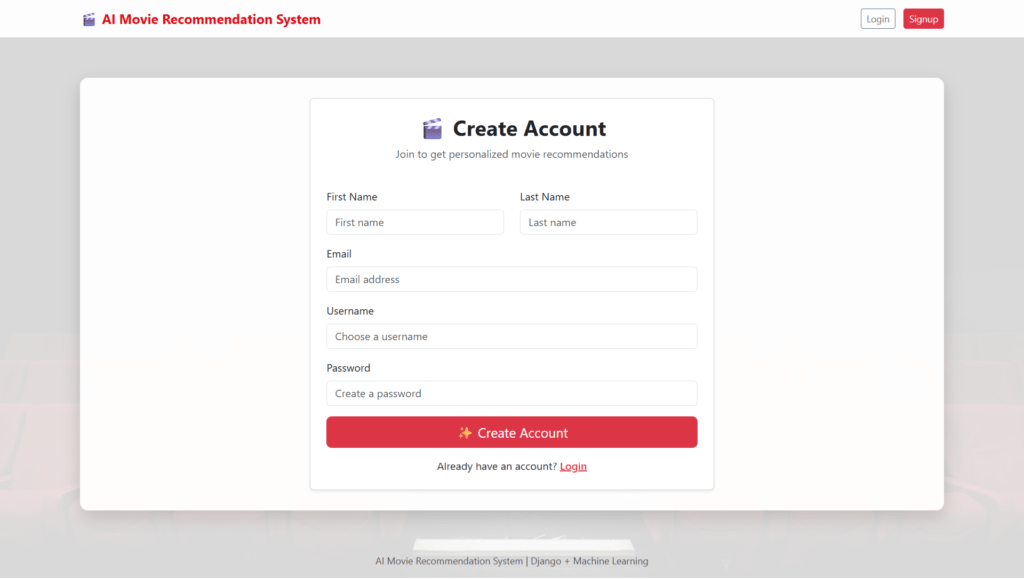
- User Registration and Secure Login:
The system provides a secure authentication mechanism that allows users to create personal accounts. Each user receives personalized recommendations based on their individual activity. - Movie Search Functionality:
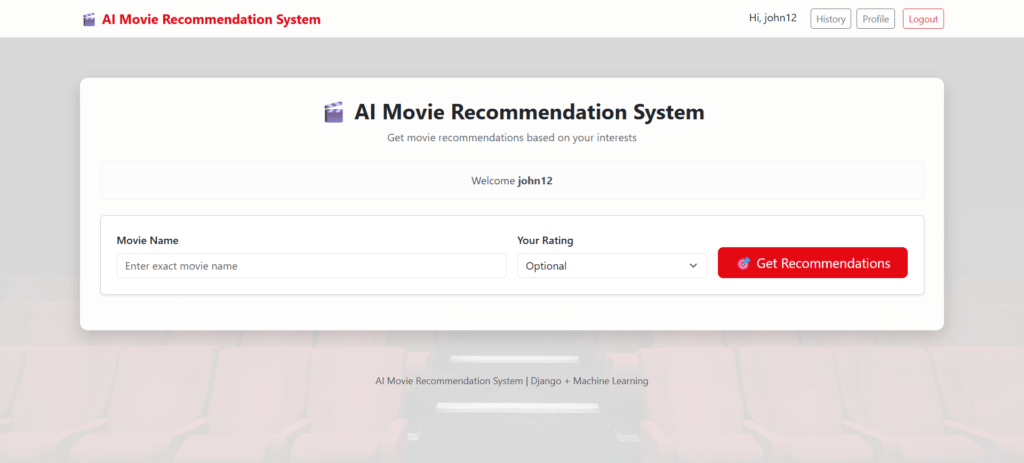
Users can search for movies by entering movie names. The system records search activity to understand user interests even when explicit ratings are not provided. - Rating Mechanism:
Users can rate movies based on their preferences. Ratings play a significant role in identifying user taste and improving recommendation quality. - Search History Tracking:
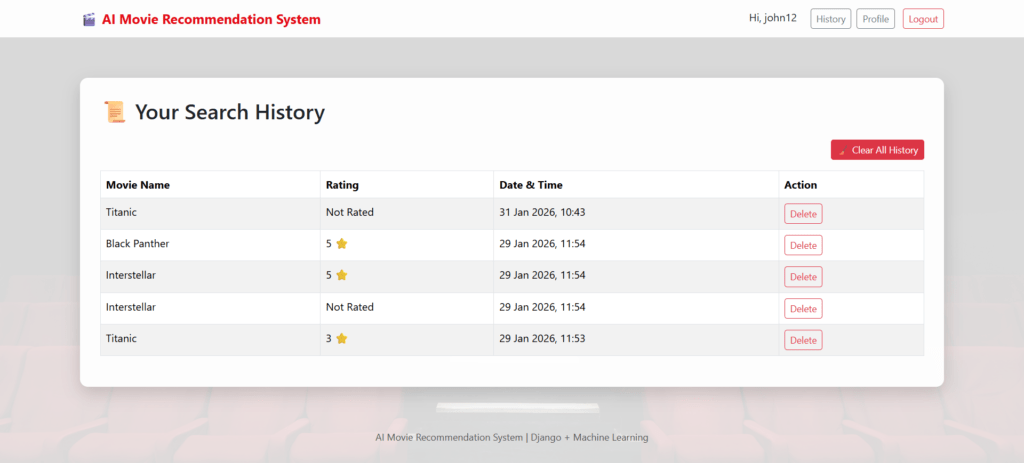
The system maintains a record of movies searched by users. This data helps in analyzing viewing patterns and generating accurate recommendations. - AI-Based Recommendation Engine:
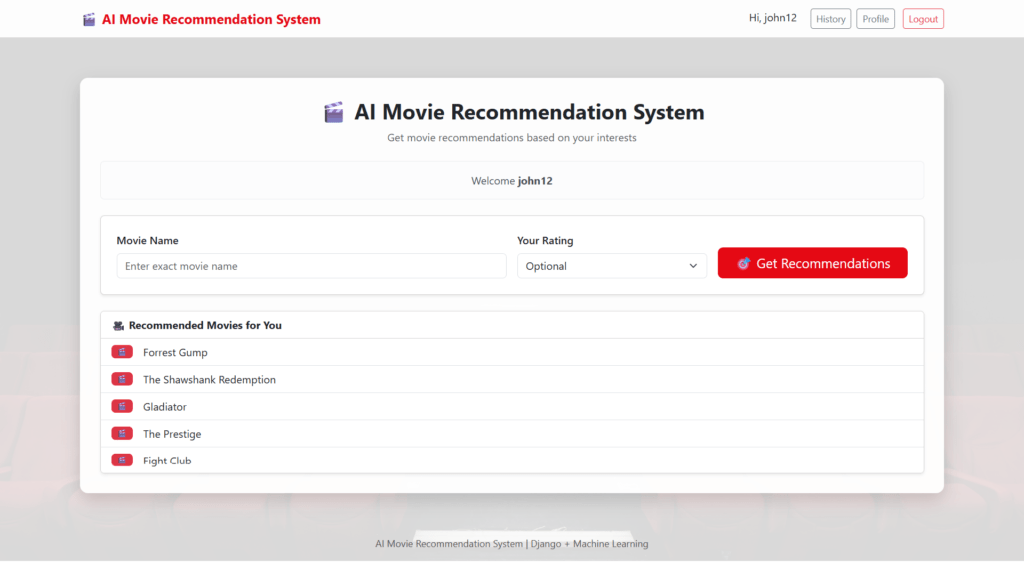
The recommendation engine uses content-based filtering and collaborative filtering techniques to analyze user preferences and suggest relevant movies. - Personalized Recommendations:
The system generates customised movie suggestions for each user, ensuring a unique and relevant recommendation experience. - User-Friendly Interface:
A simple and intuitive interface allows users to interact easily with the system without technical complexity. - Efficient Data Storage:
User data, movie information, ratings, and search history are stored in a structured database, enabling fast retrieval and efficient processing.
Overall, the AI Movie Recommendation System Project in Python & ML provides an intelligent solution to the problem of movie selection by combining user interaction data with machine learning algorithms. The system enhances user satisfaction, reduces manual search effort, and highlights the effective use of artificial intelligence in personalized content recommendation.
AI Movie Recommendation System using Python ML: Output Screenshot
Login Page
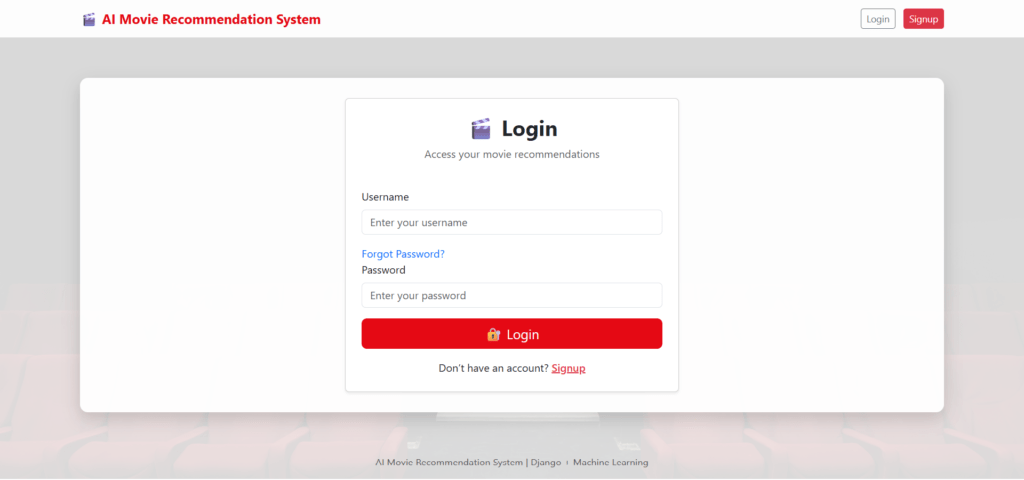
User Sign-up / Registration
Movie Search Page
Result Page
Search History Page
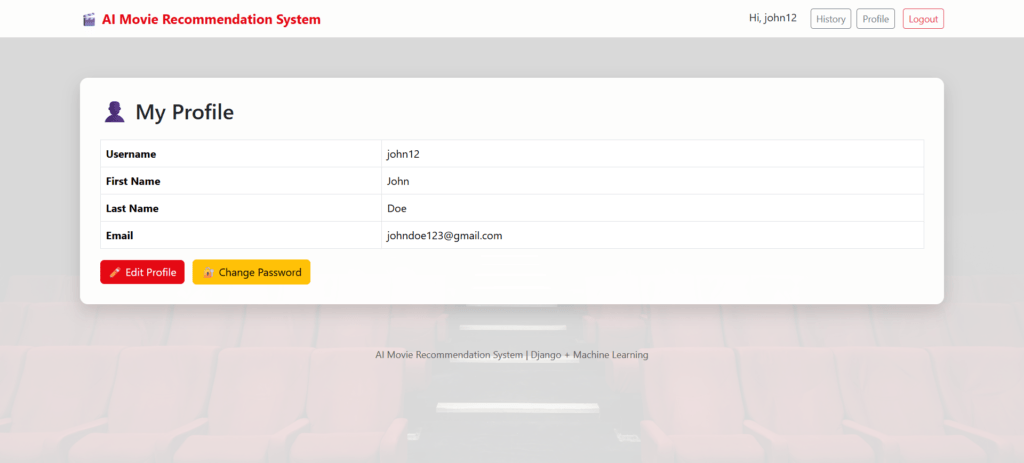
Profile Page
How to run the AI Movie Recommendation System using Python ML
1. Download the zip file of the AI-Powered Fake Currency Detection System in Python
2. Extract the file, copy AI_Movie_Recommendation_System the folder and paste it on the desktop
3. Open PyCharm and import the project into PyCharm
4. Navigate to the folder movie_recommender
|
1 |
cd movie_recommender |
5. Install four libraries (if not installed)
|
1 2 3 4 |
pip install joblib pip install numpy pip install scikit-learn pip install pandas |
6. Run the Project using the following command
python manage.py runserver
Now, click the URL http://127.0.0.1:8000, and the Project will run
Login Details
*************User************
Username: john12
Password: Test@123
Or register a new user.