AI Powered Fake Currency Detection System using Python Machine Learning
The rapid increase in counterfeit currency circulation poses a significant challenge to financial security and economic stability. Traditional methods of detecting fake currency often rely on manual inspection, which can be time-consuming, inaccurate, and dependent on human expertise. To address this issue, this project presents a Fake Currency Detection System Project that utilizes Machine Learning techniques integrated with a Django-based web application to automate the process of currency verification.
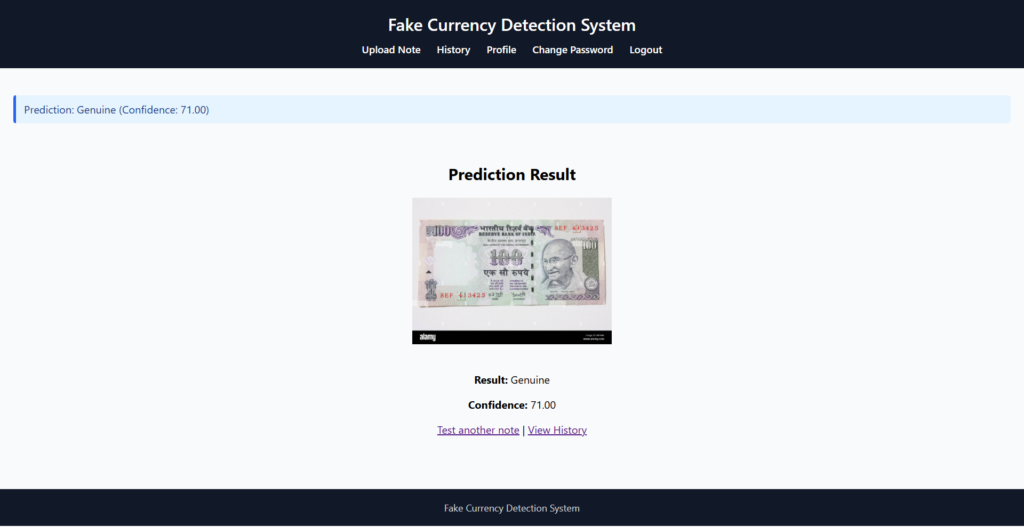
The system preprocesses uploaded currency images by converting them to grayscale, resizing them to a fixed dimension, and transforming them into numerical feature vectors. A Random Forest Classifier is trained on a dataset containing genuine and fake currency note images to classify new inputs with high efficiency. The model predicts whether a note is Genuine or Fake and provides a corresponding confidence score.
🛠️ Tech Stack Used
Frontend / Web Interface:
- Django (Python Web Framework) – Used to create the web interface for user input, displaying predictions, and managing data
- HTML5, CSS3, JavaScript – For rendering and styling web pages
- Bootstrap (optional) – For responsive UI components
- Django Templates – For dynamic web page rendering
🧠 Machine Learning / Backend Logic:
- scikit-learn – Machine Learning library used to implement algorithms like Logistic Regression, Decision Tree, Random Forest, KNN
- NumPy→ For numerical operations and matrix manipulation
- Pandas → For handling and preprocessing datasets
- joblib → To save and load the trained machine learning model
🗃️ Database:
- SQLite – Lightweight relational database used to store user data and predictions
- Django ORM (Object Relational Mapper) – Handles interaction between Django models and the SQLite database
⚙️ Tools & Environment:
- Python 3.x – Core programming language used
- PyCharm – IDE for development
- Virtualenv / pip – For managing dependencies
✅ Key Features
1. Machine Learning–Based Detection
- Uses a trained Random Forest classifier to identify fake or genuine currency.
- Image preprocessing (grayscale, resizing, flattening) ensures accurate predictions.
- Generates prediction confidence score.
2. User-Friendly Web Interface
- Built using Django templates with clean and responsive design.
- Simple upload form for users to submit currency note images.
- Instant display of prediction results.
3. Secure User Authentication
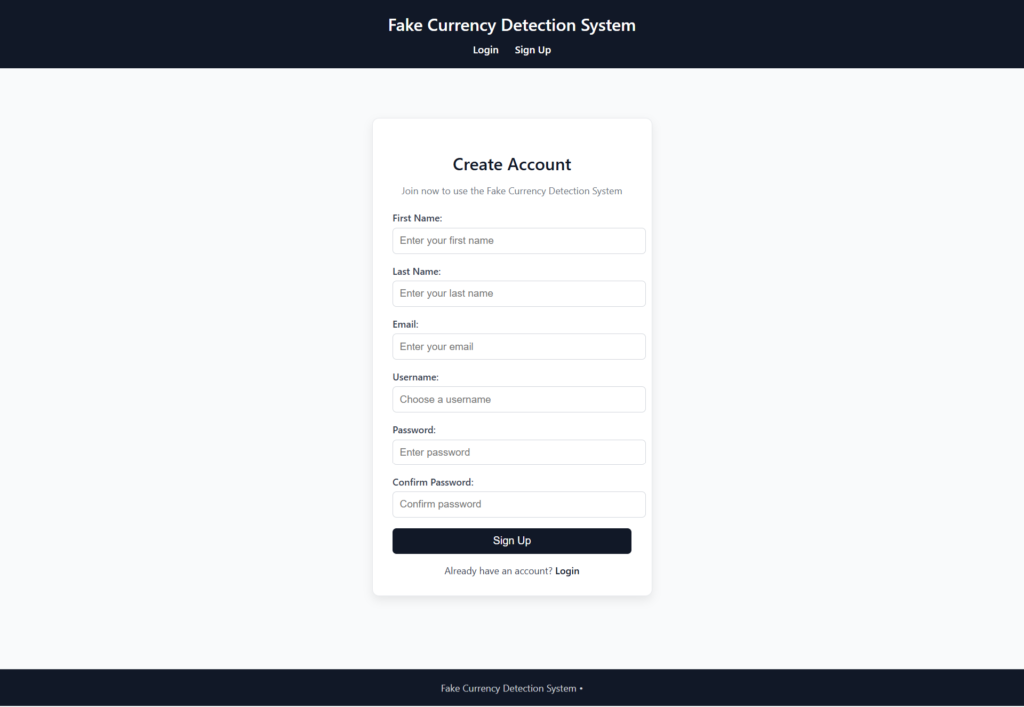
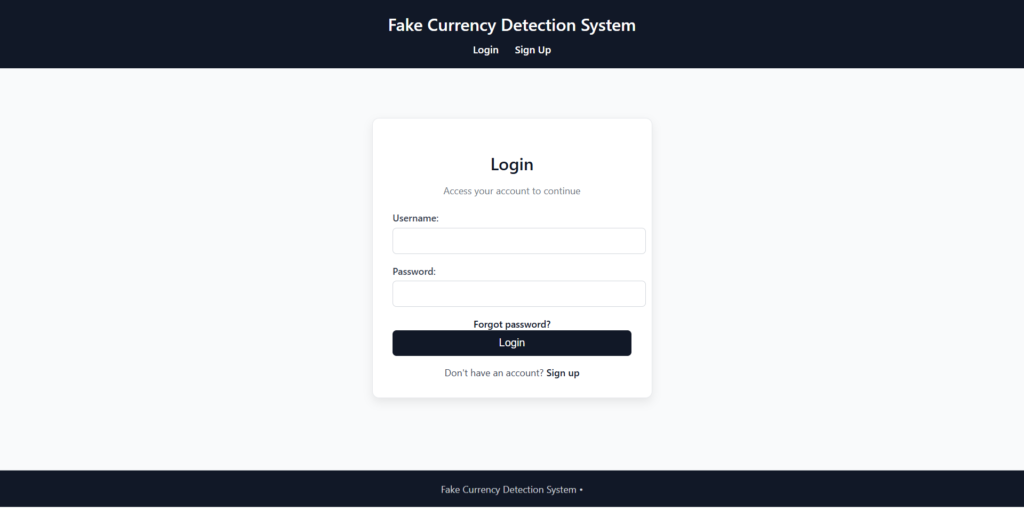
- User registration, login, logout, and session handling.
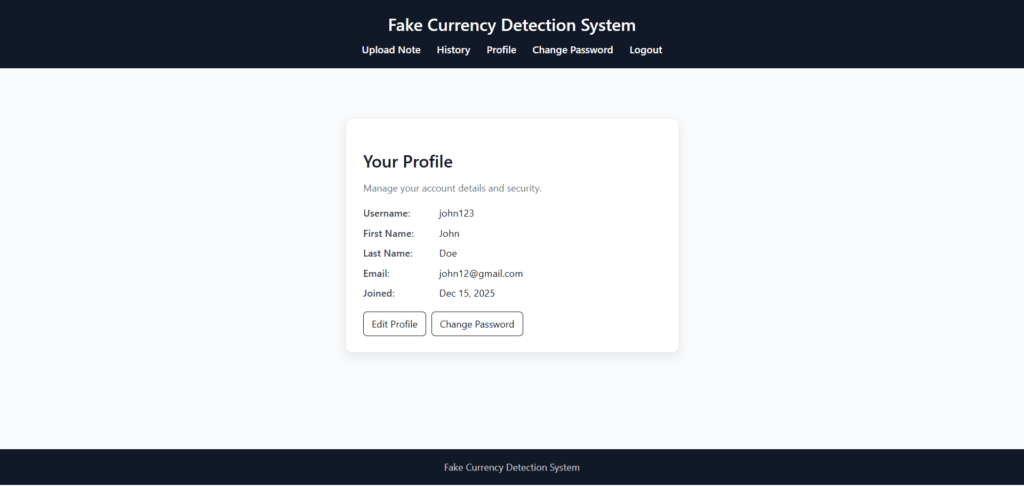
- Password change and profile editing features.
- Secure password hashing and validation.
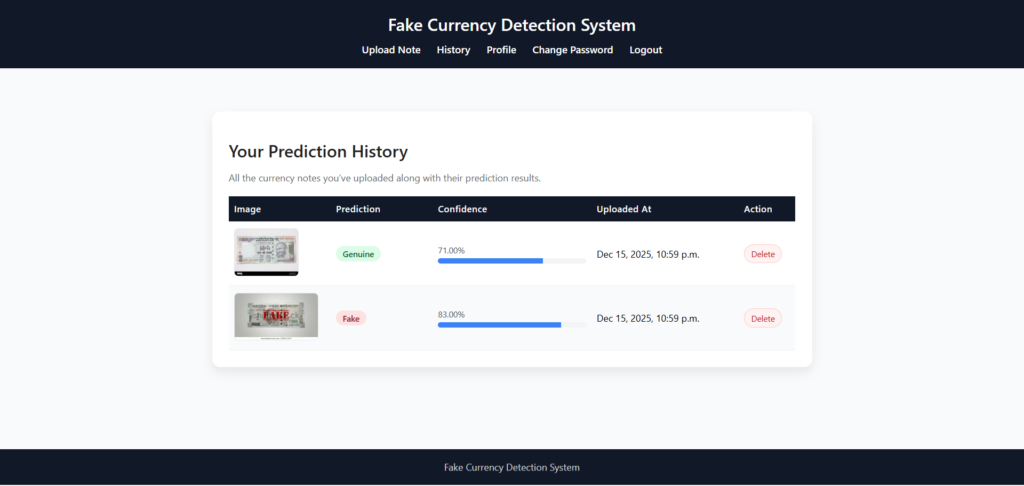
4. Prediction History Tracking
- Stores all past predictions with timestamps.
- Allows deletion of individual history records.
- Includes image preview and pagination for easier navigation.
5. Integrated Preprocessing & Model Pipeline
- Images are automatically processed before prediction.
- Model loads efficiently and returns real-time results.
6. Database Management
- SQLite database for storing user details and prediction records.
- Django ORM ensures secure and efficient data handling.
7. Extendable System Architecture
- Easy to upgrade with deep learning models like CNN.
- Can support multiple currencies in future.
- Can integrate mobile camera or real-time detection features.
AI-Powered Fake Currency Detection System in Python & ML: Output Screenshot
User Sign Up
User login
Upload Note

Prediction / Detection Result Page
Prediction/Detection History
User profile
How to run the AI-Fake Currency Detection System using Python Machine Learning (ML)
1. Download the zip file of the AI-Powered Fake Currency Detection System in Python
2. Extract the file, copy fake_currency_detection the folder and paste it on the desktop
3. Open PyCharm and import the project into PyCharm
4. Install four libraries (if not installed)
|
1 2 3 4 |
pip install joblib pip install numpy pip install scikit-learn pip install pandas |
5. Run the Project using the following command
python manage.py runserver
Now, click the URL http://127.0.0.1:8000 and the Project will run
Login Details
*************User************
Username: john123
Password: Test@123
Or register a new user.