Online Tiffin Service System using Python and MySQL
The Online Tiffin Service System Project using Python and MySQL is a complete web-based food ordering and subscription platform designed for students, working professionals, and households who require daily meal services. This project helps service providers manage daily meal menus, tiffin plans, orders, delivery schedules, payments, and customer feedback through a centralized system.
Online Tiffin Service System Project is ideal for BCA, MCA, B.Tech, BE, M.Tech final-year students looking for a Python and MySQL-based real-time application. The system offers separate modules for Admin, Customers, making it an end-to-end tiffin management solution.
🛠️ Tech Stack Used
- Frontend: HTML, CSS, Bootstrap
- Backend: Python (Django)
- Database: MySQL
- Server: XAMPP / WAMP / Localhost
- Additional Libraries: pymysql / mysqlclient
✅ Key Features
Admin Module
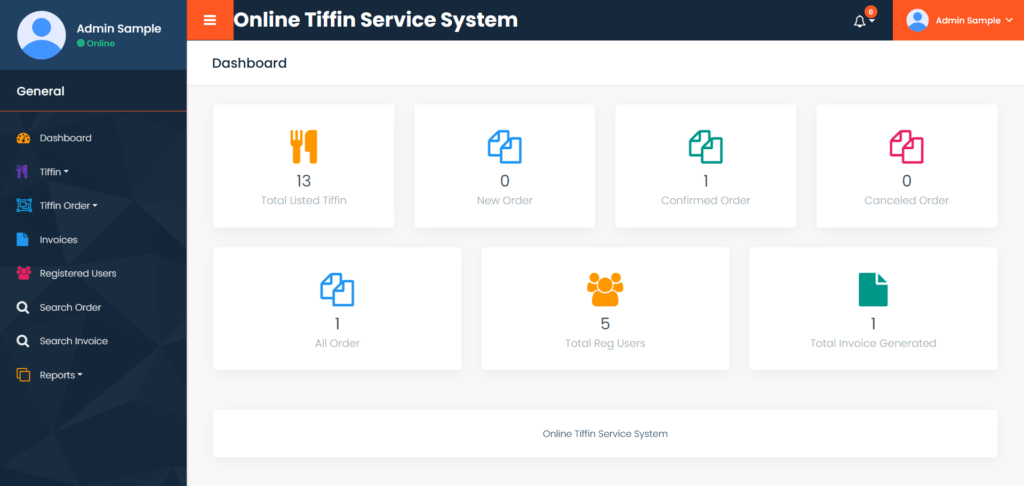
- Dashboard: In this section, the dashboard provides a quick summary of key metrics, including:
- Total New Orders
- Total Confirmed Orders
- Total Cancelled Orders
- Total Orders
- Total Listed Tiffin
- Total Registered Users
- Total Invoice Generated
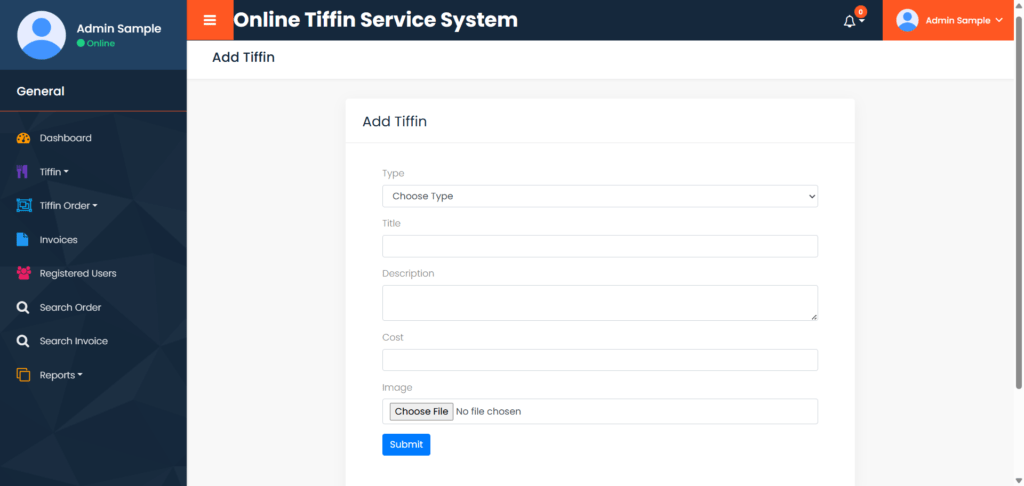
- Tiffin: In this section, admin can manage Tiffin (Add/Update/Delete).
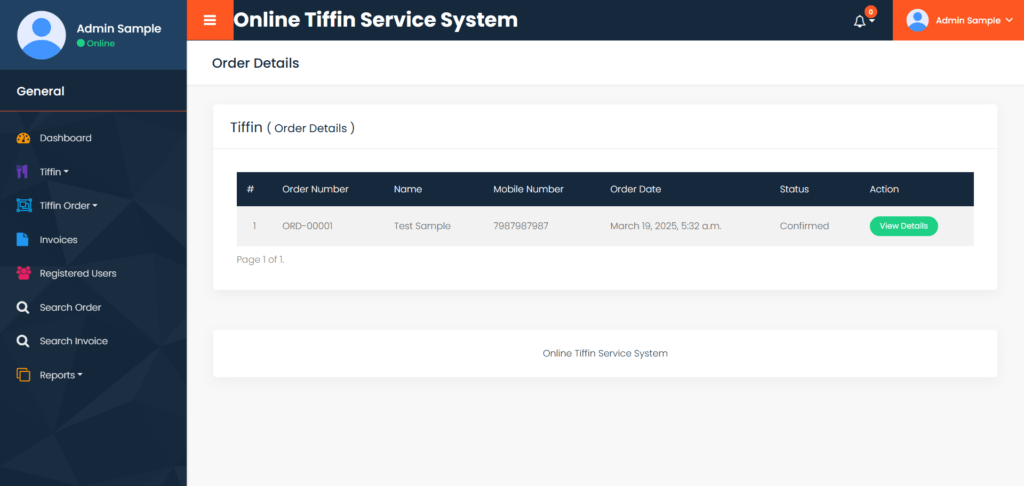
- Tiffin Order: In this section admin can view the Tiffin order details and they have also right to change order status according to current status.
- Invoices: This section helps in maintaining financial records and providing customers with proper billing information.
- Reports: In this section admin can generate following Reports.
- Order Report: Detailed report of all orders.
- Invoices Report: Summary of all invoices generated.
- Sales Report: Analysis of sales data
- Users Reports: List of registered users and their activities.
6.Registered Users: In this section, admin can view the list of registered users.
- Search Invoice: In this section, admin can search Tiffin invoice with the help of customer order number.
- Search Order: In this section, admin can search tiffin orders invoice with the help of customer order number.
Additional Features:
- Profile Management:
- Admins can update their profile details, such as name, email, and contact information.
- Change Password:
- Admins can change their login password for security purposes.
- Password Recovery:
- Admins can recover their password in case they forget it, ensuring uninterrupted access to the system.
User Module
The User Module is the customer-facing part of the Online Tiffin Service System (OTSS). It is designed to provide a smooth and intuitive experience for users, allowing them to explore tiffin options, place orders, and manage their accounts. Below is an overview of the functionalities available in this module:
1. Home Page:
- Overview:
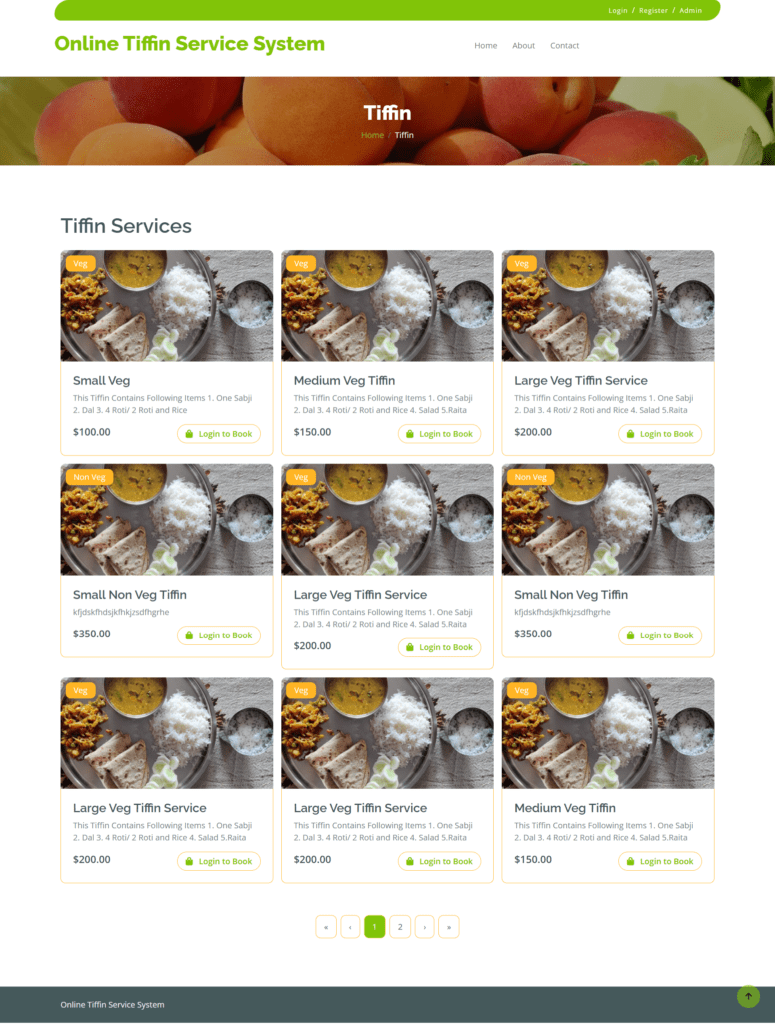
- The homepage is the main landing page of the web application.
- Users can view the available tiffin options, including food items, descriptions, and prices.
- Guest User Access:
- Unregistered users (guest users) can:
- Browse the tiffin menu.
- Access the “About Us” and “Contact Us” sections to learn more about the tiffin provider.
- Sign up or log in to place orders.
- Unregistered users (guest users) can:
2. My Orders:
- Functionality:
- After logging in, users can access their order history, which includes details such as:
- Order date and time.
- Tiffin items ordered.
- Quantity and total cost.
- Delivery status (e.g., confirmed, cancelled, delivered).
- Users can also view and download invoicesfor their orders.
- After logging in, users can access their order history, which includes details such as:
3. My Profile:
- Functionality:
- Users can view and update their personal information, such as:
- Name, email, and contact number.
- Delivery address.
- Users can view and update their personal information, such as:
4. Change Password:
- Functionality:
- Users can change their password to enhance account security.
5. Log Out:
- Functionality:
- Users can log out of the system to secure their accounts, especially when using shared or public devices.
Homepage Details:
The homepage is the central hub of the web application, designed to cater to both registered and guest users. Key features include:
- Tiffin Menu:
- Displays the available tiffin options with details such as food items, descriptions, and prices.
- About Us:
- Provides information about the tiffin service provider, including their mission, vision, and values.
- Contact Us:
- Allows users to reach out to the tiffin provider for queries, feedback, or support.
- Sign In/Sign Up:
- Guest users can register or log in to access the full features of the system, including placing orders and managing their profiles.
Online Tiffin Service System Python: Output Screenshot
Home Page
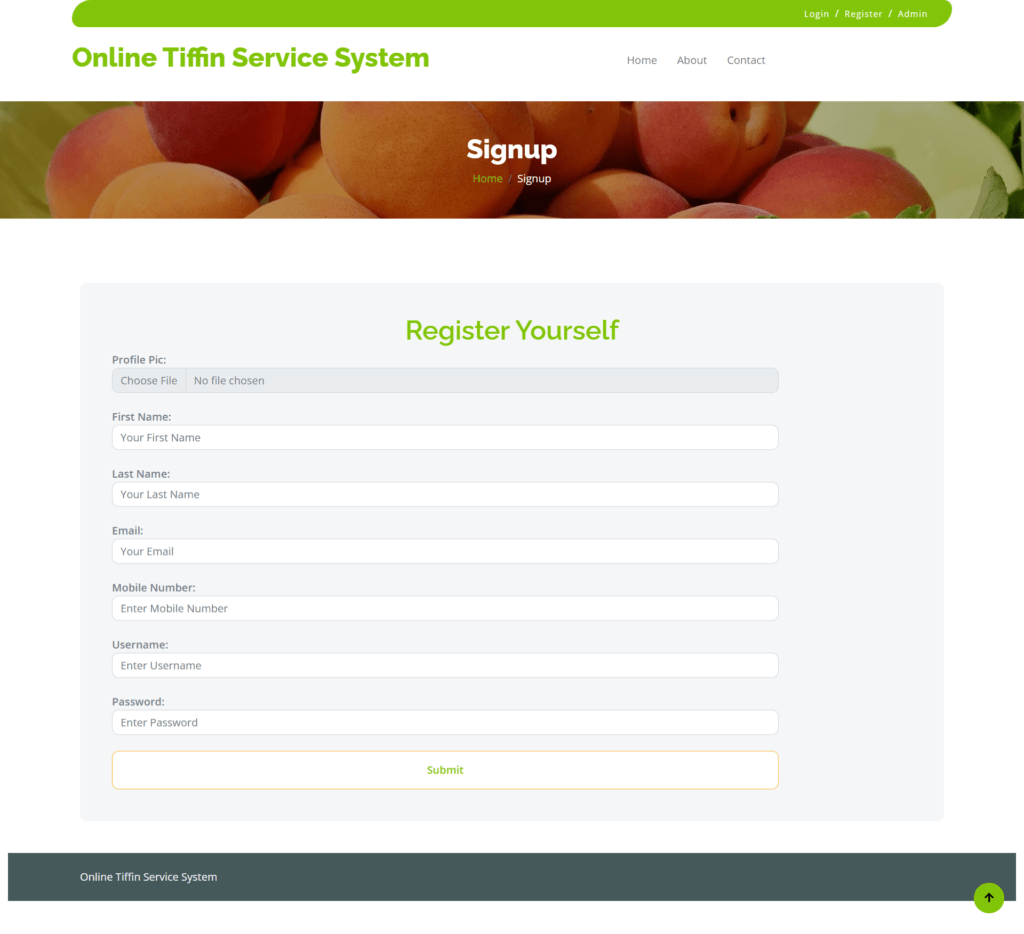
User Signup / Registration
Dashboard
Add Tiffin
Orders Details
How to run the Online Tiffin Service System Python Project
1. Download the zip file
2. Extract the file, copy otss the folder, and paste it on the desktop
3. Open MySQL, create a database otsspythondb , then import the SQL File available in the SQL File Folder (For MySQ,L we used the XAMPP server)
4. Open PyCharm and click on the terminal
5. Navigate the project folder using the cd command
cd project_path
For ex: cd C:\Users\YOURPCNAME\OneDrive\Desktop\otss\
6. Now, Navigate to the onlinetiffinservicesystem folder
cd onlinetiffinservicesystem
7. Run the Project using the following command
python manage.py runserver
Now click the URL http://127.0.0.1:8000 and the Project will Run
Login Details
**************Admin login Details**************
Username: admin
Password: Test@123
**************User login Details**************
Username: amit12
Password: Test@123
or Register a new user.