Hospital Management System Project in PHP: The Complete Guide for Final-Year Students
Everything you need to know before you download, install, and present this project
If you’ve spent even ten minutes searching for final-year project ideas, you’ve probably run into the Hospital Management System Project in PHP more than once. It shows up on almost every college project shortlist, and there’s a good reason for that: it’s practical, it’s not overly complicated, and it actually looks impressive when you demo it in front of a panel of examiners. But before you download the source code and start copy-pasting screenshots into your report, it’s worth understanding what this project really does, how it’s built, and what you should know before you submit it as your own.
What Exactly Is a Hospital Management System Project in PHP?
A Hospital Management System (HMS) built in PHP is a web application that digitizes the day-to-day operations of a hospital or clinic. Instead of registers and paper files, patient records, doctor schedules, appointments, and billing all move onto a browser-based dashboard. The version most students work with is built using PHP for the server-side logic, MySQL for the database, and HTML, CSS, JavaScript, and Bootstrap for the front end – a stack that’s beginner-friendly but still close to how real-world systems are built.
In short: it’s a small-scale version of the software that actual hospitals use to manage patients and appointments, simplified enough for a semester project but realistic enough that it teaches you genuine full-stack skills.
Why This Project Is So Popular Among BCA, MCA, and B.Tech Students
Ask any computer science student why they picked a hospital-themed project over, say, a library system or an inventory tracker, and you’ll usually get the same answer: it maps cleanly to real life, and every examiner immediately understands what problem it solves. You don’t need to explain what an ‘appointment’ or a ‘patient record’ is – the use case sells itself in the first thirty seconds of your presentation.
There’s also a technical reason. A hospital system naturally involves multiple user roles, relational data (patients linked to doctors linked to appointments), authentication, and reporting – which means it touches almost every core concept taught in a database and web development course. That makes it a strong choice if your goal is to demonstrate range, not just a single feature.
Core Modules: How the System Is Structured
Most implementations of this project are organized around three modules, each representing a different type of user:
- Admin Module – the control center. The administrator can view and manage patients, doctors, appointments, and any new queries or complaints coming into the system.
- Doctor Module – gives registered doctors a dashboard to check their upcoming appointments, view patient history, and manage their own schedule.
- Patient Module – allows patients to register, log in, book appointments with available doctors, and track their appointment status without needing to call the front desk.
This three-tier structure is what makes the project feel ‘complete’ rather than a single CRUD form repeated three times. Each role has a distinct dashboard, distinct permissions, and a distinct set of database queries behind it – which is exactly the kind of separation of concerns that examiners look for.
The Technology Stack, and Why It Matters
The system runs on a classic and still very relevant combination: PHP handles the server-side logic and connects to a MySQL database where all patient, doctor, and appointment data lives. Bootstrap takes care of making the interface responsive without you having to write custom CSS for every screen size, while JavaScript adds the interactive touches – form validation, dynamic dropdowns, and so on.
This isn’t a flashy stack, but that’s precisely the point. PHP and MySQL are still among the most widely deployed technologies for web backends, especially in shared hosting environments and small-to-mid-sized business applications. Learning this combination properly gives you a transferable skill set, not just a project you’ll forget about after submission.
Setting It Up: What the Installation Process Looks Like
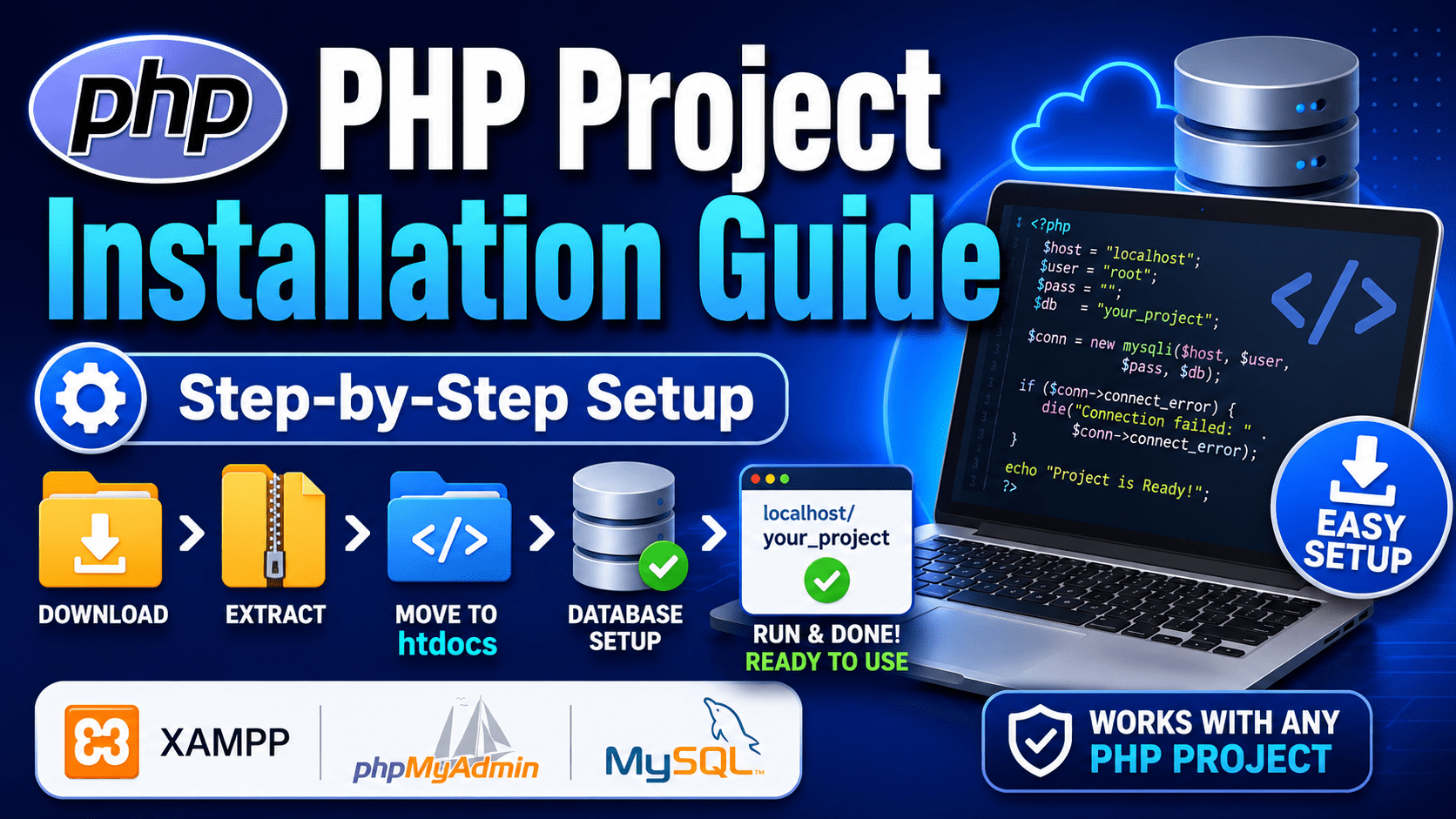
Getting a local copy of this kind of project running usually follows a familiar pattern for anyone who’s used XAMPP or WAMP before:
- Download the project’s source code as a ZIP file and extract it.
- Move the extracted project folder into the htdocs directory of your local server (XAMPP/WAMP).
- Create a new MySQL database through phpMyAdmin.
- Import the provided SQL file to set up all the required tables in one go.
- Update the database configuration file with your local credentials.
- Start Apache and MySQL, then open the project in your browser to log in as admin, doctor, or patient using the demo credentials.
If you’re doing this for the first time, expect a few hiccups – a missing PHP extension, a MySQL version mismatch, or a wrong file path are the most common blockers. None of these are serious; they’re the standard growing pains of local server setup, and working through them is honestly part of the learning experience.
A Word on Security Before You Deploy Anywhere Public
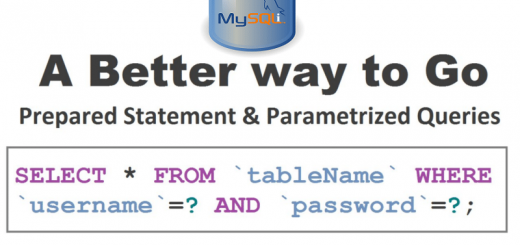
This is the part most tutorials skip, and it’s important. Student versions of hospital and college-management systems are built to demonstrate functionality, not to withstand real-world attacks. If you ever plan to host a project like this publicly, or hand it off as a ‘live’ system to a client, it needs a proper security pass first: parameterized queries instead of raw SQL string concatenation, input sanitization on every form field, hashed and salted passwords, and CSRF protection on forms that change data.
For your final-year submission, this level of hardening usually isn’t required – but it’s worth mentioning in your project report. Examiners increasingly appreciate a ‘limitations and future scope’ section that shows you understand security isn’t an afterthought, even if you didn’t implement every safeguard yourself.
Making the Project Genuinely Your Own
The biggest mistake students make with downloadable projects isn’t using the source code – it’s submitting it completely unchanged. A little customization goes a long way and also happens to make your viva far less stressful:
- Add a new feature the original doesn’t have, such as SMS or email appointment reminders, a feedback rating system for doctors, or a simple analytics chart on the admin dashboard.
- Rework the UI with your own color scheme and branding instead of the default theme.
- Write your own project report in your own words, explaining the database schema and logic the way you actually understand it, not the way it was explained to you.
Not only does this protect you from plagiarism concerns, it also means you can actually answer follow-up questions in your viva instead of freezing when someone asks how the appointment-booking logic works under the hood.
Frequently Asked Questions
Is a Hospital Management System in PHP a good choice for a final-year project?
Yes. It’s well-suited for BCA, MCA, B.Tech, and diploma students because it covers authentication, role-based access, CRUD operations, and relational database design – all core concepts examiners expect to see demonstrated.
What technologies are used to build it?
PHP for server-side logic, MySQL for the database, and HTML, CSS, JavaScript, and Bootstrap for the front end. This is one of the most common and well-documented stacks for student web projects.
What are the main modules in this system?
Typically three: an Admin module for overall management, a Doctor module for handling appointments and patient history, and a Patient module for registration and booking appointments.
Do I need advanced coding knowledge to run this project?
No. Basic familiarity with PHP, MySQL, and phpMyAdmin is enough to install and run it locally. Customizing or extending it, however, will require a firmer grasp of PHP fundamentals.
Can this project be used for commercial or real hospital use?
Not as-is. Student versions are built for learning and demonstration purposes and typically lack the security hardening, scalability, and compliance features a real healthcare system would require.
How long does it take to understand and customize the project?
For a student with basic PHP and MySQL knowledge, understanding the existing codebase usually takes a few days. Meaningful customization – adding a new feature or reworking the UI – typically takes one to two weeks depending on the scope.
Final Thoughts
A Hospital Management System in PHP remains one of the most reliable final-year project choices precisely because it balances simplicity with real substance. It’s approachable enough for a student who’s still getting comfortable with server-side programming, yet layered enough – with its multiple user roles, relational database design, and CRUD operations – to genuinely demonstrate your skills to an examiner or a future employer.
The source code will get you started, but the understanding is what actually earns you the marks – and the confidence to talk about it in a job interview two years from now. Treat it as a foundation to build on rather than a finished product to hand in, and it’ll do a lot more for you than just filling a submission deadline.
Download Project : https://phpgurukul.com/hospital-management-system-in-php/