Airline Reservation System using Python Django and SQLite
The Airline Reservation System is a modern web-based application developed using Python Django and SQLite. The project is designed to automate airline ticket booking, flight scheduling, passenger management, and reservation tracking. It provides a user-friendly platform where passengers can search for flights, book tickets, manage reservations, and view their travel history online.
This project is highly suitable for BCA, MCA, B.Tech, BE, M.Tech, and Computer Science students looking for a final year project in Python and Django
What is an Airline Reservation System?
An Airline Reservation System (ARS) is software that enables airlines and passengers to manage flight reservations electronically. The system simplifies flight booking operations by maintaining flight schedules, passenger records, ticket reservations, and booking history in a centralised database.
The project developed using Python Django offers secure user authentication, efficient flight management, and a responsive web interface.
🛠️ Tech Stack Used
- Frontend: HTML, CSS, Bootstrap
- Backend: Python (Django)
- Database: SQLite
✅ Key Features
Admin Features
- Secure administrator login
- Add, update, and delete airlines
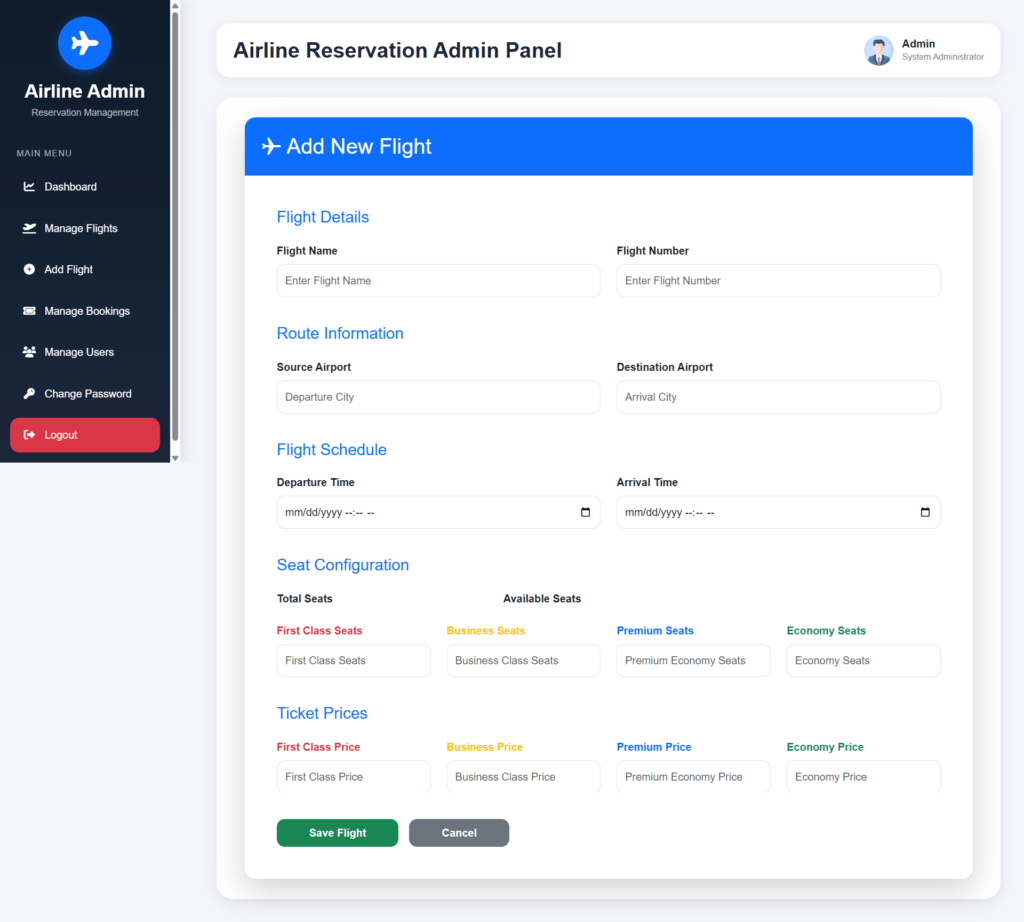
- Manage flight schedules
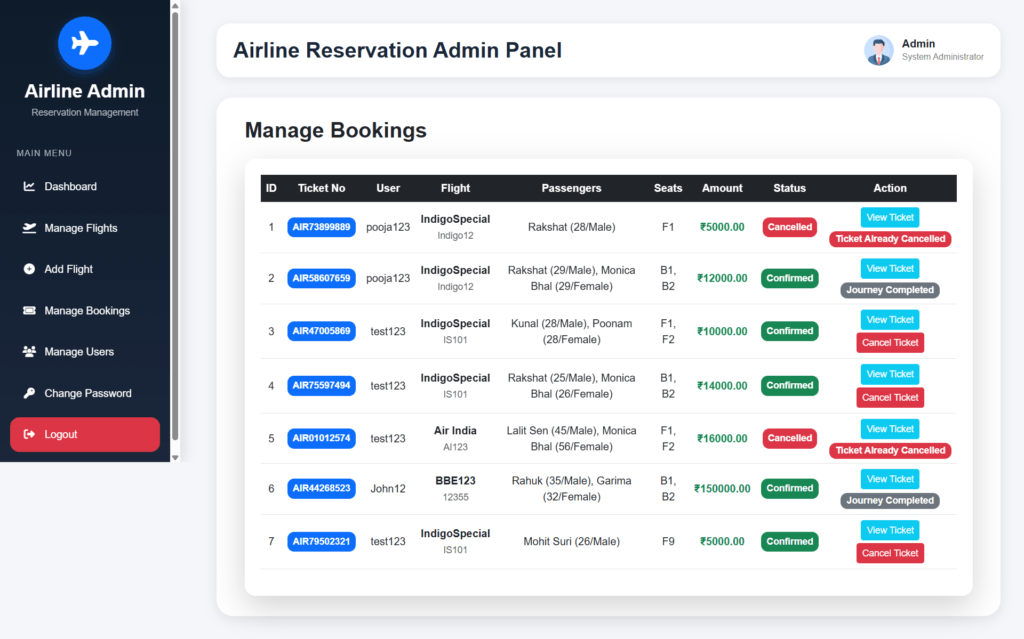
- View booking records
- Manage passenger information
- Generate reservation reports
- Monitor flight status
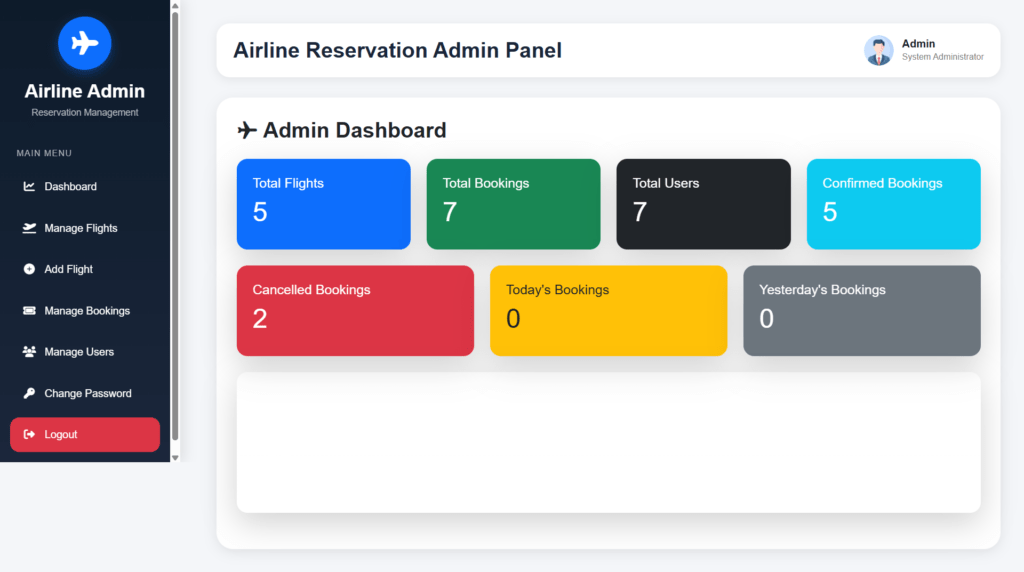
- Dashboard with booking statistics
User Features
- User registration and login
- Search available flights
- Online ticket booking
- View reservation history
- Cancel bookings
- Download e-ticket
- Manage profile information
- Track flight schedules
What You Will Learn?
This Airline Reservation System project helps students learn:
- Python Django Framework
- SQLite Database
- Flight Booking Management
- Passenger Management
- Ticket Reservation
- Authentication System
- Database Design
- Web Development Concepts
Airline Reservation System Python: Output Screenshot
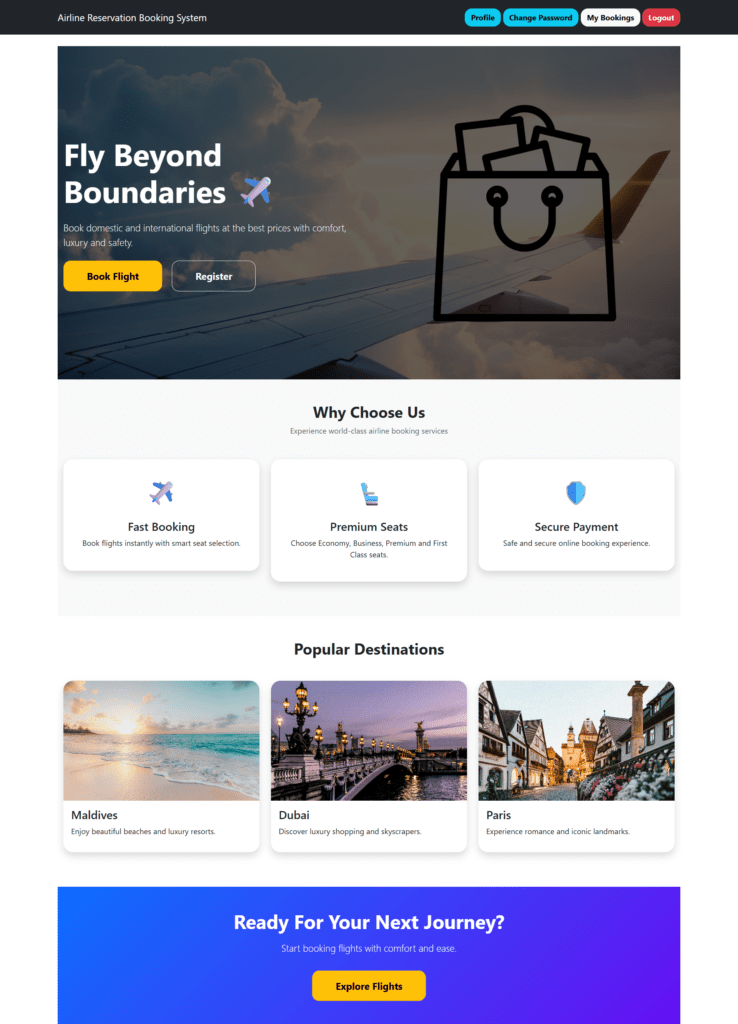
Home Page
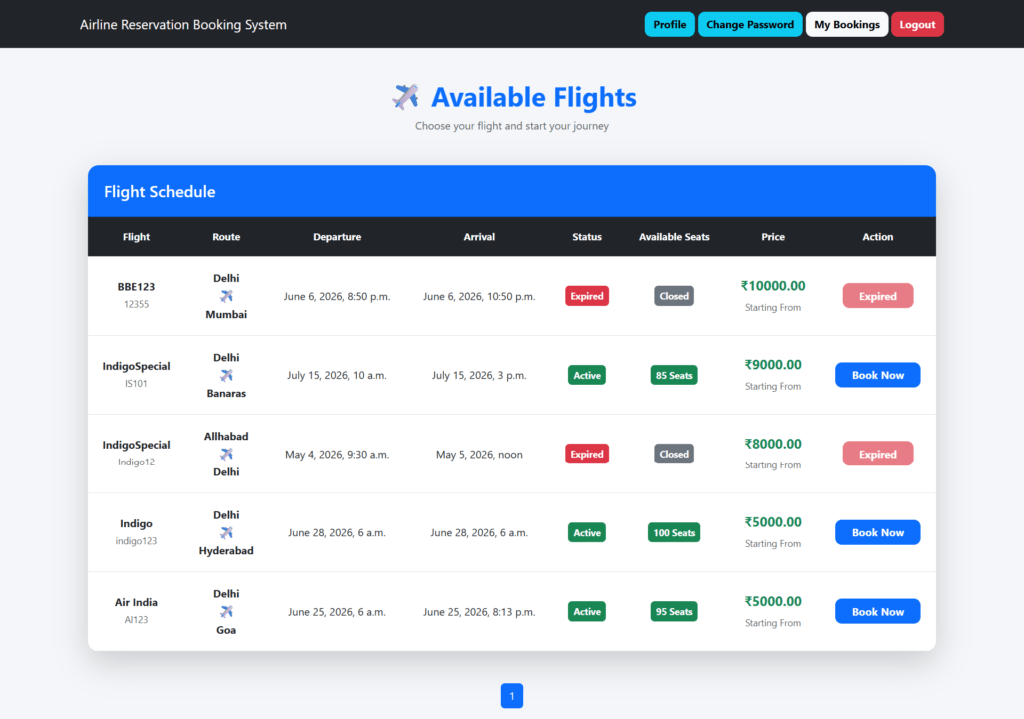
Available Flight
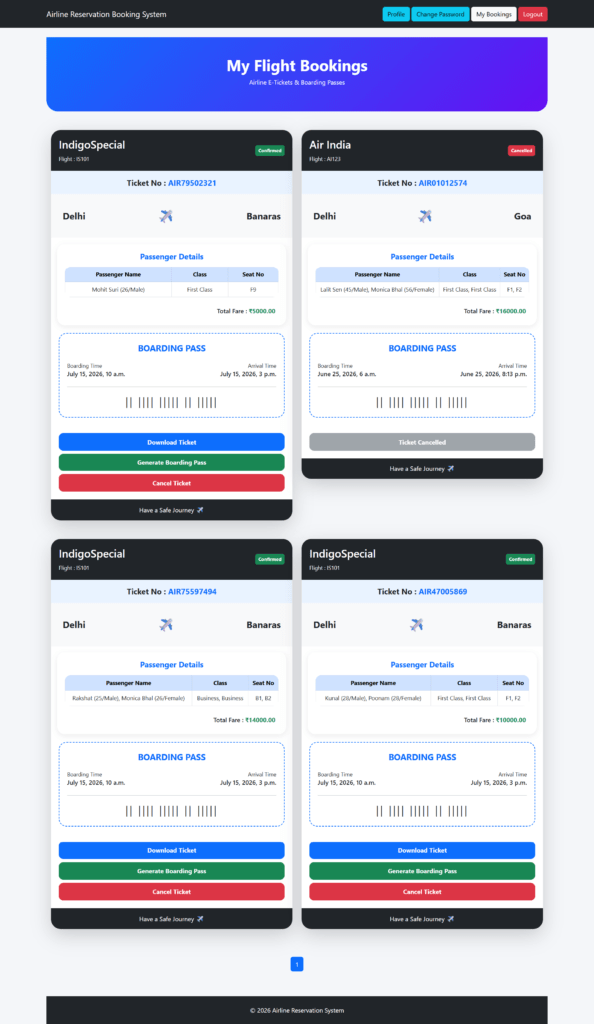
Tickets
Admin Dashboard
Add Flight
Manage Bookings
How to run the Online Airline Reservation Booking System Django Python
1. Download the zip file
2. Extract the file, copy airline_booking_system the folder, and paste it on the desktop
3. Open PyCharm and click on the terminal
4. Navigate the project folder using the cd command
cd project_path
For ex: cd C:\Users\your_computer_name\OneDrive\Desktop\airline_booking_system\
OR
Import in pycharm
5. Run the Project using the following command
python manage.py runserver
Now, click the URL http://127.0.0.1:8000, and the Project will run
Login Details
*************admin************
Username: admin
Password: Test@123
*************User************
Username: John12
Password: Test@123
Or register a new user.
Airline Reservation Booking System | Full Project Demo
Airline Reservation Booking System Python: Project (Source Code + Database), Report, and PPT
Frequently Asked Questions (FAQs)
An Airline Reservation System (ARS) is a software application used to manage flight schedules, passenger bookings, ticket reservations, seat allocation, and customer information. It enables users to search flights, book tickets, and manage reservations online.
Yes, this project is suitable for BCA, MCA, B.Tech, BE, and M.Tech students.
SQLite is used as the backend database.
Yes, the source code can be customized according to project requirements.
Yes, the project includes complete documentation and project reports.
Yes, students with basic Python and Django knowledge can easily understand and implement the project.
Yes, the system can generate electronic tickets after successful booking.
Yes, Bootstrap is used to make the application responsive and mobile-friendly.
Yes, the project package includes an Entity Relationship (ER) Diagram.
Yes, Data Flow Diagrams (DFD) are included for academic documentation.
Yes, User can select the seats.
This project offers practical experience in Django development, database design, authentication systems, and reservation workflows while providing complete documentation and academic resources.