Online Eyewear Store using PHP and MySQL
The Online Eyewear Store Project using PHP and MySQL is a complete and ready-to-run project that provides real-time e-commerce features like product management, cart, checkout, order tracking, and admin control. It is one of the best web development projects for students looking for an attractive and professional final year project, The Online Eyewear Store using PHP and MySQL project from PHPGurukul is an ideal engineering student final year project that demonstrates real-world PHP MySQL web application development, featuring e-commerce website design, user login system, shopping cart, admin panel, and order management, helping students build practical skills in full-stack development while creating a complete online shopping system project suitable for academic submissions and portfolio enhancement.
🔧 Technical Specifications
| Frontend | HTML, CSS, JavaScript, Bootstrap |
|---|---|
| Backend | PHP |
| Database | MySQL |
| IDE | VS Code / Sublime Text |
| Software Required | XAMPP / Wamp / Mamp/ Lamp (anyone) |
✅ Key Features
Admin Module
This module provides administrator-related functionalities. The administrator manages the entire application and has full control over the system.
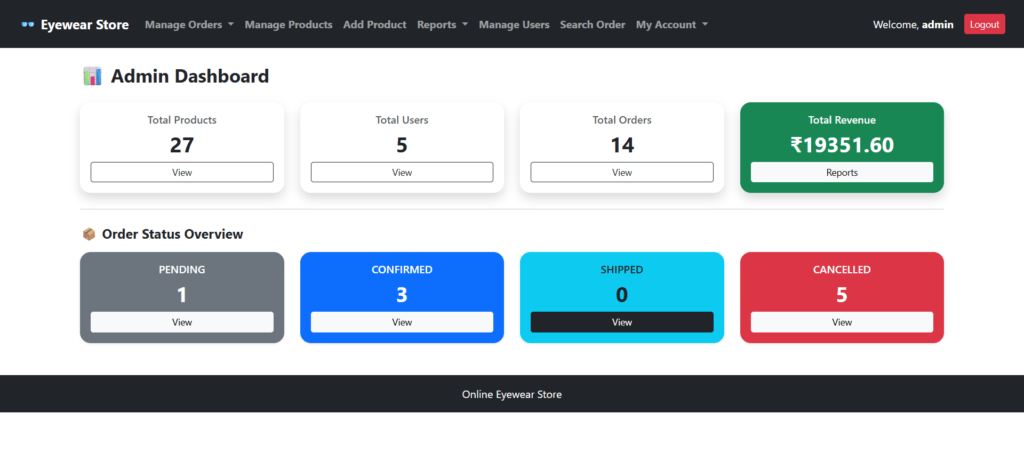
Dashboard
In this section, the admin can briefly view:
- Total products
- Total orders
- Total pending orders
- Total confirmed orders
- Total shipped orders
- Total delivered orders
- Total cancelled orders
- Total registered users
- Total revenue
Category Management
In this section, the admin can manage categories of eyewear products.
- Add a new product category
- Update category details
- Delete category
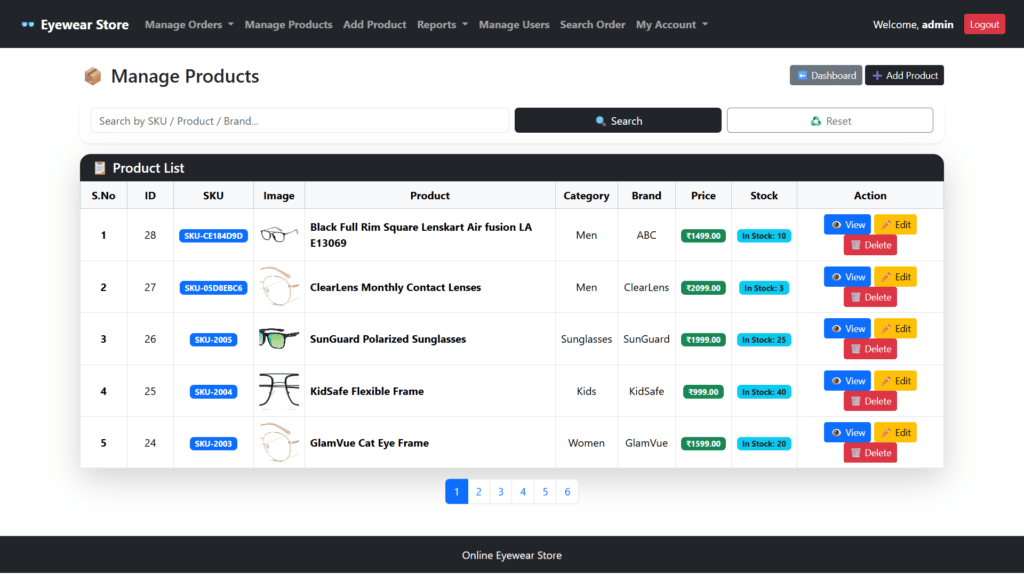
Product Management
In this section, the admin can manage eyewear products.
- Add new products with image upload
- Update product details
- Delete products
- Manage product stock and inventory
Orders Management
In this section, the admin can:
- View complete order details
- Update order status (Pending, Confirmed, Shipped, Delivered, Cancelled)
- Restore stock automatically on order cancellation
- View cancellation reasons
- Auto update payment status on delivery
Search Order
In this section, the admin can search for a particular order using the invoice number or order ID.
Reports
In this section, the admin can view sales and order reports such as:
- Between dates sales report
- Monthly sales report
- Yearly sales report
- Revenue analysis
Registered Users
In this section, the admin can view details of all registered users along with their order history.
Admin Profile
The admin can:
- Update Manage Category
- Change password
- Recover password
User Module
This module provides user-related functionalities for customers visiting the website.
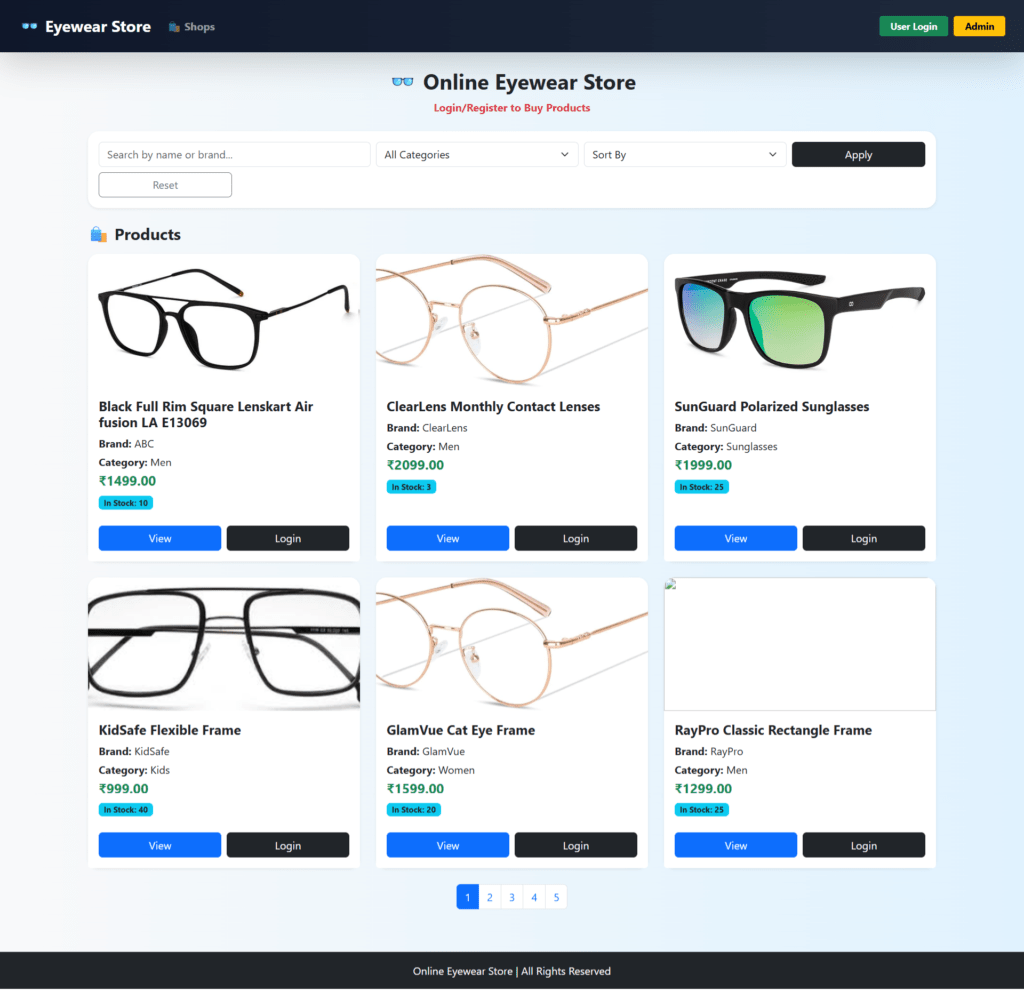
1. Eyewear Shop
In this section, users can:
- View available eyewear products
- Search products by name or brand
- Filter products by category and price
- View product details
Guest users (not logged in) can also browse products.
2. My Account
In this section, users can:
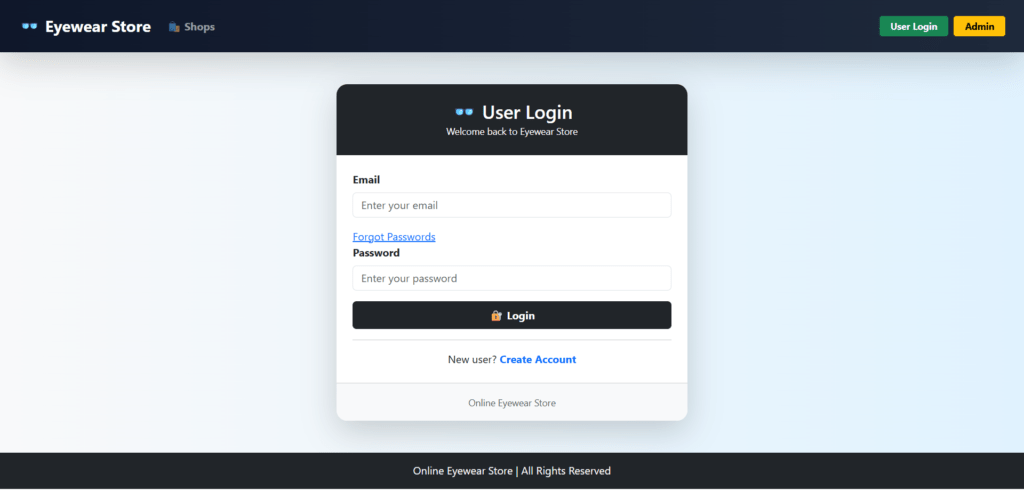
- Register and login
- View and update profile
- Change password
- Logout from account
3. Cart
In this section, users can:
- Add eyewear products to cart
- Update product quantity
- View cart summary
- Proceed to checkout
4. Wishlist
In this section, users can:
- Add products to wishlist
- View wishlist items
- Remove items from wishlist
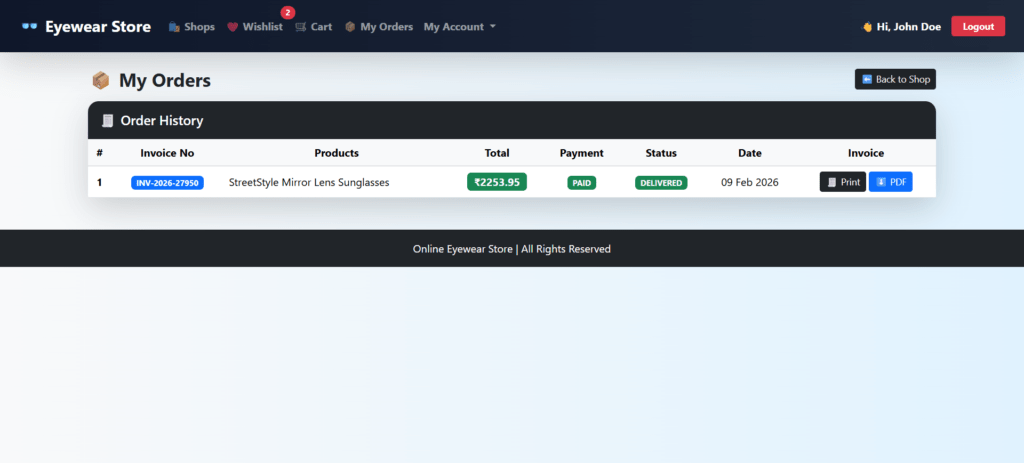
5. My Orders
In this section, users can:
- View order history
- Track order status
- Cancel orders before delivery
- View cancellation status
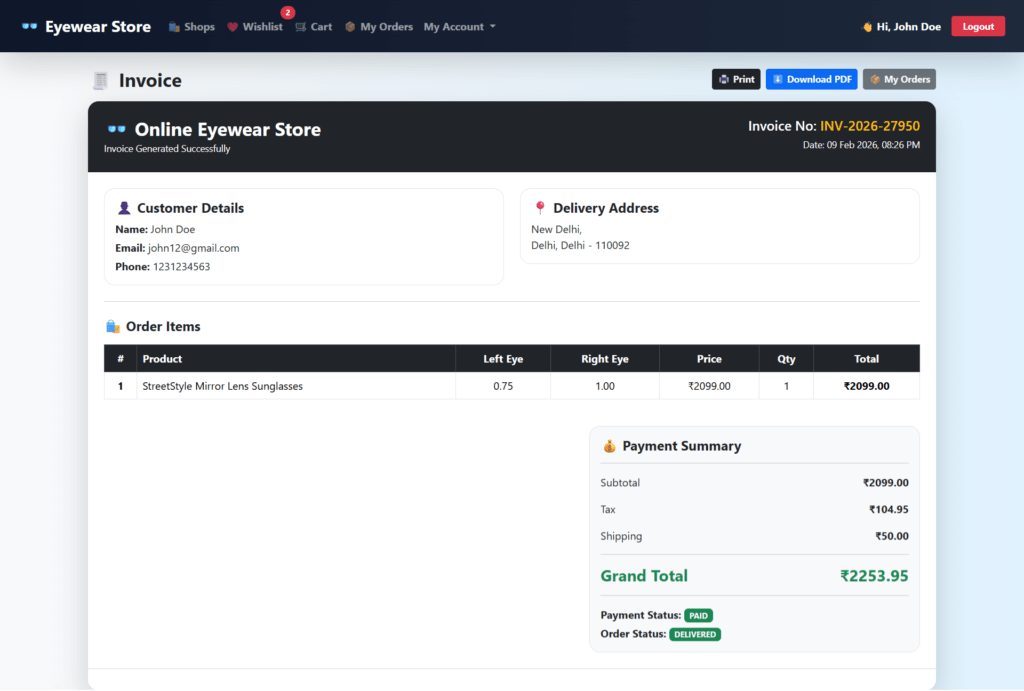
6. Invoice Management
The user has the facility to:
- View invoice
- Print invoice
- Download the invoice in PDF format
Brief Information about the Homepage
The homepage of the Online Eyewear Shopping System is accessible to both guest users and registered users.
- Guest users can browse eyewear products and search products by name or brand.
- Guest users can register for a new account.
- Registered users can log in to access the cart, wishlist, orders, and profile features.
Online Eyewear Store PHP: Some of the Project Screens
Home Page
User Login
User Order
User Order Details
User Admin Dashboard
Manage Products
How to run the Online Eyewear Store PHP Project
1. Download the project zip file
2. Extract the file and copy the eyewear_store folder
3. Paste inside the directory–xampp/htdcos, for XAMPP C:\xampp\htdocs
4. Open PHPMyAdmin (http://localhost/phpmyadmin)
5. Create a database with the name eyewear_db
6. Import eyewear_db.sql file(given inside the zip package in SQL file folder)
7. Run the script http://localhost/eyewear_store
**********User Credential**********
Username: john12@gmail.com
Password: Test@123
OR register a new user.
Or Register a new User.
**********Admin Credential**********
Username: admin
Password: Test@123